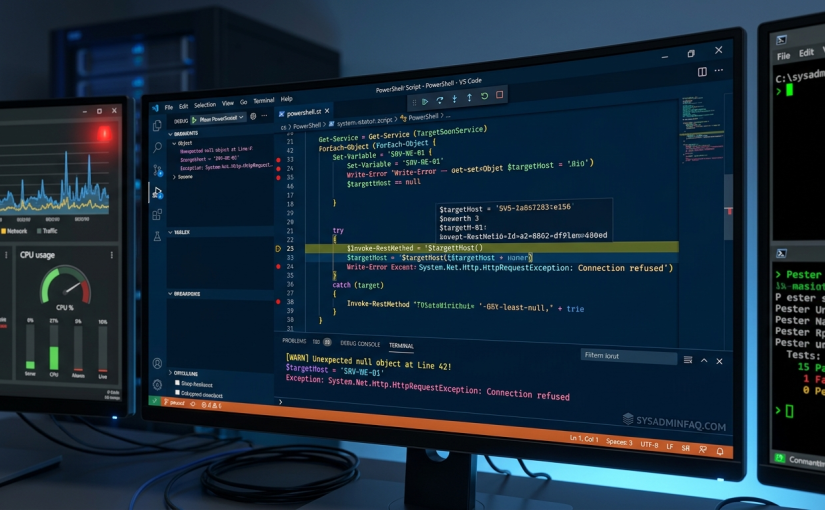
Why Scripting Beats “Manual Labor” every time
Automation isn’t just about saving time; it’s about Standardization. When you manually configure a network switch or a user profile, you might skip a step. A script doesn’t have “bad Mondays.” It does exactly what you told it to do, every single time.
For those starting out, your “Big Three” tools are:
- PowerShell: Essential for Active Directory, Azure/M365, and Windows Server management.
- Python: The industry standard for network device configuration (Cisco, Juniper) and API integrations.
- Bash: If you touch Linux servers or MacOS fleets, you need to know your way around a .sh file.
Practical Example 1: The “Daily Health Check” (PowerShell)
Instead of logging into five servers to check disk space, let’s build a simple script that does it for you. This uses the Get-Volume command but filters it to only show you what matters.
    # Simple Disk Space Alert Script
    $Servers = @("FS01", "APP01", "DB01")
    foreach ($Server in $Servers) {
        Invoke-Command -ComputerName $Server -ScriptBlock {
            Get-Volume | Where-Object { $_.DriveLetter -match "C|D" -and $_.SizeRemaining -lt 10GB } |
            Select-Object RenderLabel, @{Name="FreeGB";Expression={[math]::Round($_.SizeRemaining/1GB,2)}}
        }
    }
Why this works: It uses a foreach loop—a fundamental building block. Learning how to loop through a list of assets is the “Hello World” of sysadmin automation.
Practical Example 2: Networking “Port Auditor” (Python)
For network admins, manually checking if a device is alive on the wire is tedious. Using Python’s socket library, you can build a basic port scanner to verify if a new web server is actually listening on port 80 or 443.
    import socket

    def check_port(ip, port):
        s = socket.socket(socket.AF_INET, socket.SOCK_STREAM)
        s.settimeout(2)
        result = s.connect_ex((ip, port))
        if result == 0:
            print(f"Port {port} is OPEN on {ip}")
        else:
            print(f"Port {port} is CLOSED on {ip}")
        s.close()

    check_port("192.168.1.50", 443)
The Skill: This teaches you about TCP handshakes and error handling. If you just asked an AI to “fix the network,” you’d never learn why a port shows as filtered vs. closed.
How to use AI without losing your edge
AI should be your Research Assistant, not your Lead Engineer. Use it to overcome “Blank Page Syndrome.”
- Ask for Snippets, not Systems: Don’t ask for a “complete ticketing system.” Ask, “How do I append a string to a CSV file in Python?”
- The “Explain This” Method: If you find a complex script on Stack Overflow, paste it into an AI and ask it to explain line 14. This turns the web into a giant, interactive classroom.
- Debug, Don’t Delegate: When your script throws an error, try to solve it for 10 minutes first. If you’re still stuck, use the AI to interpret the error code. Check the Microsoft Learn docs to verify the AI’s suggestion.
The “Safety First” Workflow
As a tech support or systems pro, you have the “keys to the kingdom.” One bad script can take down a whole department. Always follow this workflow:
- The Sandbox: Never run a new script on a production server. Use a local VM or a “dev” organizational unit (OU) in Active Directory.
- Comment your Code: Future You will forget why you wrote that logic. Use
#liberally to explain what each section does. - Version Control: Even if it’s just a folder of text files, keep track of your changes. For the best results, start learning the basics of Git.
Summary: Building a Career, Not Just a Script
Anyone can copy and paste code. The admins who get promoted are the ones who can troubleshoot that code when it breaks during a Sunday night update. By building your own scripts—using AI as a tool rather than a crutch—you develop a deep understanding of how your infrastructure actually breathes.
Start small. Pick a task you hate doing manually. Script it. Break it. Fix it. That is how you become a Senior Engineer.
Looking for more scripting inspiration? Head over to the r/sysadmin community to see what your peers are automating this week!